Key Takeaways
- Onpage SEO controls all optimization elements you can directly modify on your website, including content, HTML tags, and page structure
- Search intent alignment now outranks traditional keyword density as the primary ranking factor in 2026
- Core Web Vitals targets are standardized: LCP under 2.5 seconds, FID under 100ms, CLS below 0.1
- Mobile-first optimization is mandatory, with Google prioritizing responsive design and mobile user experience
- Topical completeness beats thin content—comprehensive coverage of related subtopics significantly improves rankings
- Title tags, H1 headings, and meta descriptions remain foundational elements that directly impact click-through rates
- Internal linking and clean URL structure strengthen topical relationships and distribute page authority
- Featured snippet optimization captures “Position 0” through structured content with question headings and direct answers
- Image optimization requires both descriptive file names and contextual alt text for accessibility and search visibility
- Long-tail keywords with specific intent phrases drive higher conversion rates than broad, high-volume terms
Quick Answer
Onpage SEO refers to all optimization techniques you apply directly to your website pages to improve search engine rankings and user experience. This includes optimizing content quality and structure, HTML elements like title tags and meta descriptions, heading hierarchy, images, internal links, URL structure, and page speed. Unlike off-page SEO (which focuses on backlinks and external signals), onpage optimization gives you complete control over ranking factors that search engines use to evaluate your content’s relevance and quality.
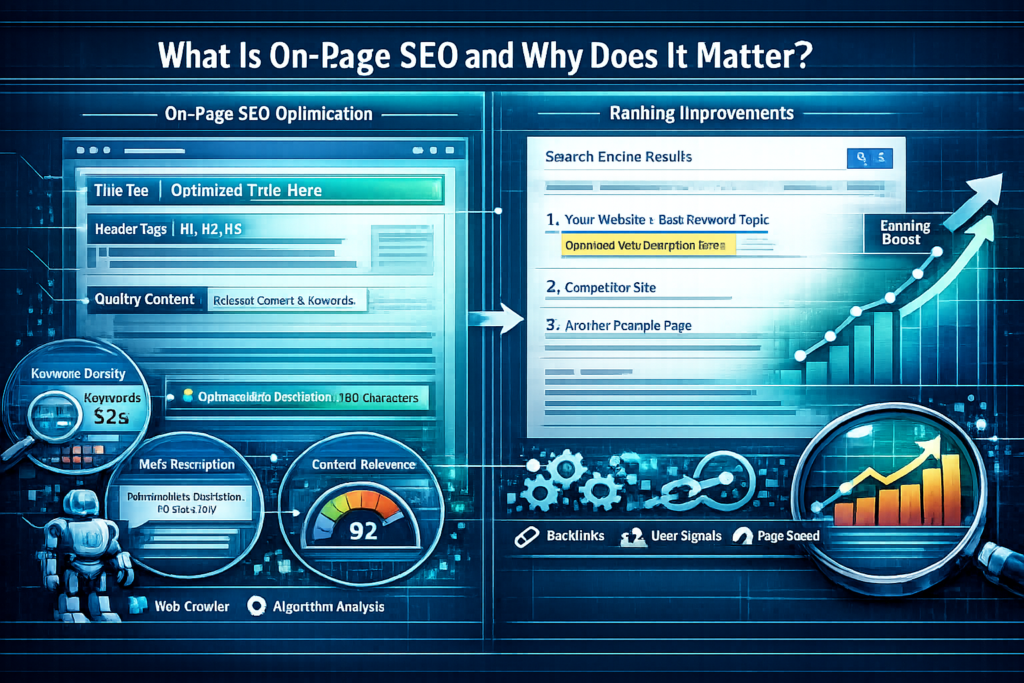
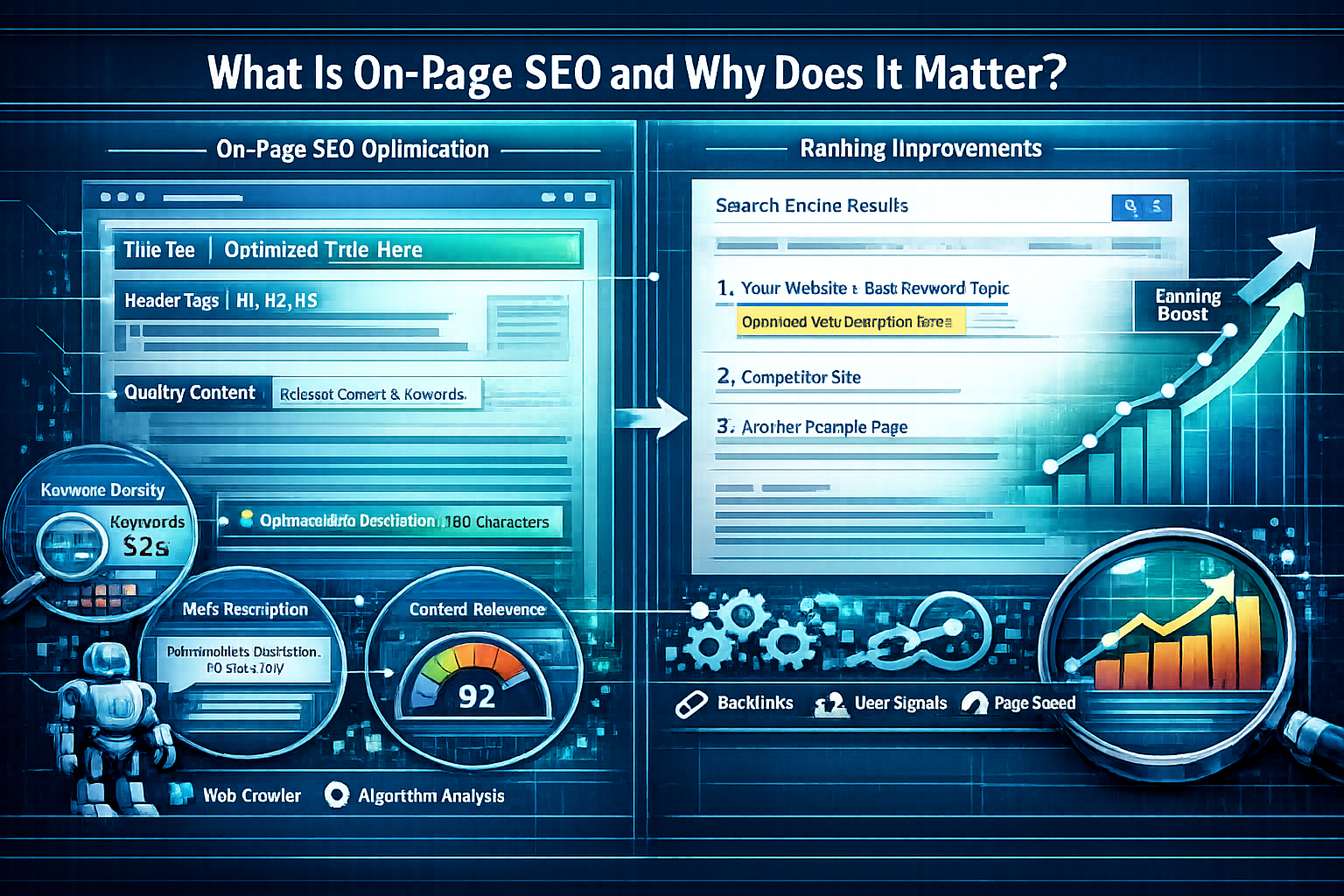
What Is OnPage SEO and Why Does It Matter?
Onpage SEO encompasses every optimization element you can control directly on your website to improve search rankings and user experience. This includes content quality, keyword placement, HTML tags, page structure, images, internal links, and technical performance factors.
The distinction between onpage and off-page SEO is straightforward: onpage optimization happens on your website, while off-page SEO involves external signals like backlinks and brand mentions. You have direct control over onpage elements, making them the foundation of any successful SEO strategy.
Why onpage SEO matters in 2026:
- Direct ranking impact: Search engines evaluate onpage signals to determine relevance, quality, and user experience
- User experience foundation: Optimized pages load faster, display correctly on mobile devices, and provide clear navigation
- Conversion optimization: Well-structured content with clear calls-to-action converts visitors more effectively
- AI search visibility: Properly structured content appears in AI-generated summaries and featured snippets
- Complete control: Unlike backlinks, you can implement onpage changes immediately without relying on external websites
According to recent industry analysis, search intent alignment has become the most important onpage SEO factor, surpassing traditional keyword optimization.[1] Pages that directly fulfill user needs and answer specific queries outperform those simply optimized for keyword density.
Common mistake: Focusing exclusively on keywords while ignoring user intent. A page targeting “water heater repair” should include troubleshooting steps, safety precautions, and guidance on when to call a professional—not just keyword variations.
How Does OnPage SEO Differ from Technical SEO and Off-Page SEO?
Onpage SEO focuses on content and HTML optimization, technical SEO handles site infrastructure, and off-page SEO builds external authority. While these categories overlap, understanding the distinctions helps you allocate resources effectively.
OnPage SEO elements:
- Content quality, depth, and relevance
- Title tags, meta descriptions, and heading structure
- Keyword placement and semantic variations
- Image optimization with alt text
- Internal linking with descriptive anchors
- URL structure and readability
Technical SEO elements:
- Site speed and Core Web Vitals
- Mobile responsiveness and viewport configuration
- XML sitemaps and robots.txt files
- Structured data and schema markup
- HTTPS security and SSL certificates
- Crawlability and indexation management
Off-Page SEO elements:
- Backlink acquisition and quality
- Brand mentions and citations
- Social signals and engagement
- Domain authority building
- Online reputation management
For a comprehensive understanding of technical optimization, review our guide on technical SEO. To build external authority, explore our off-page SEO checklist.
Decision rule: Start with onpage optimization if you have a new site or poor content quality. Move to technical SEO if your site loads slowly or has indexation issues. Focus on off-page SEO once your onpage foundation is solid and you need authority signals to compete for competitive keywords.
What Are the Essential OnPage SEO Elements to Optimize?
The core onpage SEO elements include title tags, meta descriptions, heading hierarchy, content quality, URL structure, image optimization, and internal linking. Each element serves a specific purpose in communicating relevance to search engines and improving user experience.
Title Tags
Title tags appear in browser tabs and search results as the clickable headline. They should include your primary keyword near the beginning and accurately describe page content within 50-60 characters.
Best practices:
- Place primary keyword within the first 5 words
- Keep total length under 60 characters to prevent truncation
- Make each title unique across your site
- Include modifiers like “2026,” “guide,” or “how to” for long-tail targeting
- Match user intent—informational queries need different titles than transactional ones
Example: Instead of “SEO Tips | Marketing Blog,” use “OnPage SEO Guide: 12 Optimization Techniques for 2026”
Meta Descriptions
Meta descriptions don’t directly impact rankings but significantly influence click-through rates from search results. Write compelling 150-160 character summaries that include your target keyword and a clear value proposition.
Effective meta description formula:
- Start with the primary benefit or answer
- Include the target keyword naturally
- Add a specific detail or number
- End with a call-to-action or compelling reason to click
Heading Hierarchy (H1-H6)
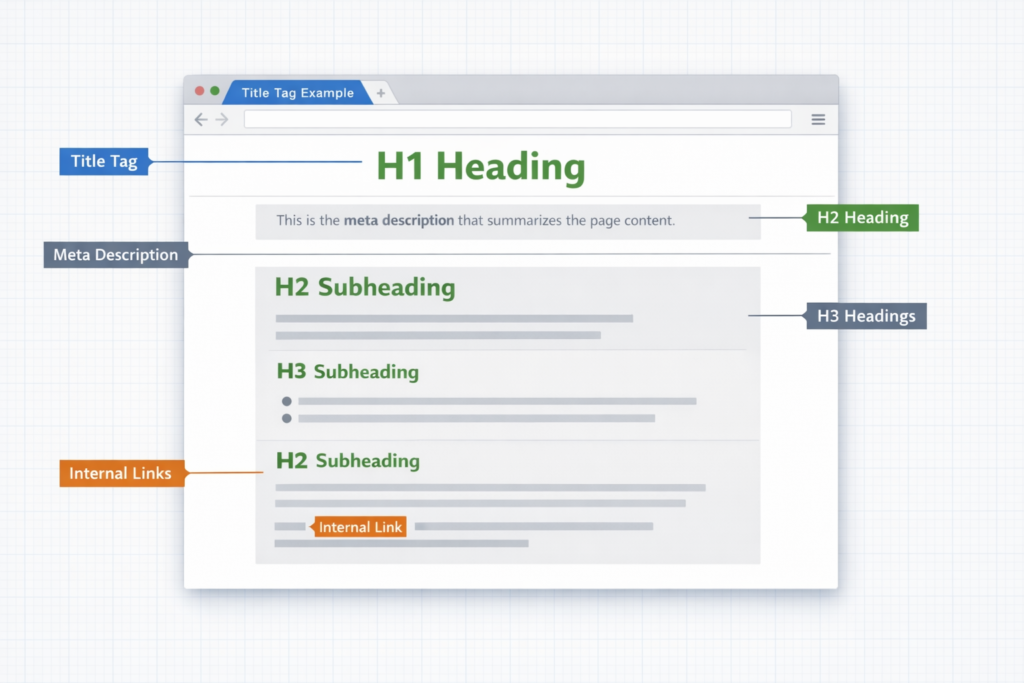
Proper heading structure helps search engines understand content organization and improves accessibility. Use one H1 per page (matching your title tag), then H2s for main sections and H3s for subsections.
Heading structure rules:
- One H1 per page containing the primary keyword
- H2s for major topic sections (include semantic variations)
- H3s for subtopics under each H2
- Never skip heading levels (don’t jump from H2 to H4)
- Keep headings descriptive and scannable
Structured heading hierarchy improves extraction for featured snippets and AI-generated summaries.[1]
Content Quality and Depth
Content should comprehensively cover the topic while directly addressing user intent. Pages with topical completeness significantly outperform thin content in 2026.[2]
Content optimization checklist:
- Answer the primary query in the first paragraph
- Cover related subtopics and common questions
- Use short paragraphs (2-4 sentences) for readability
- Include examples, data, or case studies where relevant
- Target 1,500+ words for competitive topics (adjust based on intent)
- Update content regularly to maintain freshness
Choose comprehensive coverage if: You’re targeting competitive keywords or informational queries where users need complete answers.
Choose concise content if: You’re targeting quick-answer queries or transactional intent where users want specific information fast.
URL Structure
Clean, descriptive URLs reinforce relevance and improve click-through rates by previewing content. Include your primary keyword early in the URL while avoiding keyword stuffing.[4]
URL optimization rules:
- Use hyphens to separate words (not underscores)
- Keep URLs short and readable
- Include primary keyword near the domain
- Avoid unnecessary parameters and session IDs
- Use lowercase letters consistently
Good example: yoursite.com/onpage-seo-guide
Bad example: yoursite.com/page?id=12345&session=abc
For more detailed guidance, see our on-page SEO optimization resource.
Image Optimization
Optimized images improve page speed, accessibility, and search visibility. Use descriptive file names and meaningful alt text that matches image context.[1]
Image optimization steps:
- Compress images before uploading (aim for under 100KB for most images)
- Use descriptive file names: onpage-seo-checklist.jpg instead of IMG_1234.jpg
- Write alt text that describes image content and context
- Choose appropriate formats: WebP for photos, SVG for logos and icons
- Implement lazy loading for images below the fold
Alt text example: For an image showing a website analytics dashboard, use “Google Analytics dashboard displaying organic traffic growth” rather than “dashboard” or keyword-stuffed text.
Internal Linking
Strategic internal linking distributes page authority and reinforces topical relationships across your site. Use descriptive anchor text that previews the destination page content.[1]
Internal linking strategy:
- Link from high-authority pages to important target pages
- Use varied, descriptive anchor text (avoid “click here”)
- Link to related content that adds value for readers
- Maintain a reasonable link density (2-5 internal links per 500 words)
- Create topic clusters linking related content bidirectionally
How Do Core Web Vitals Impact OnPage SEO Performance?
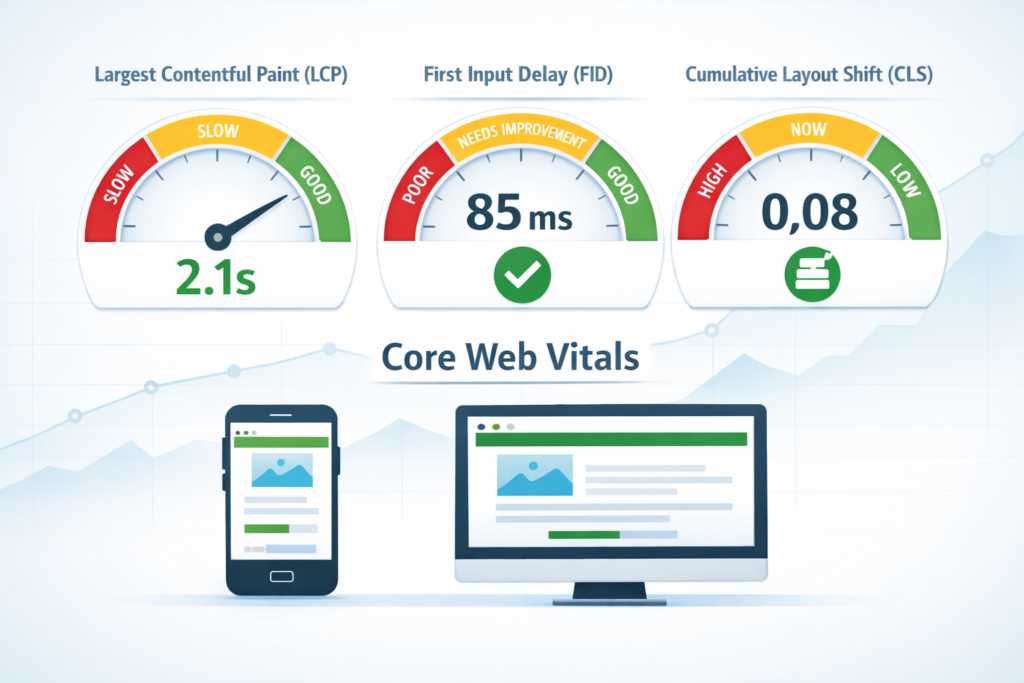
Core Web Vitals measure page loading performance, interactivity, and visual stability—three factors that directly impact both user experience and search rankings. Google has standardized performance targets that pages should meet to maintain competitive rankings.
The three Core Web Vitals metrics:
| Metric | What It Measures | Target | Impact |
| Largest Contentful Paint (LCP) | Loading speed of main content | Under 2.5 seconds | How quickly users see primary content |
| First Input Delay (FID) | Responsiveness to user interaction | Under 100 milliseconds | How quickly page responds to clicks/taps |
| Cumulative Layout Shift (CLS) | Visual stability during loading | Below 0.1 | Whether elements shift unexpectedly |
These metrics directly influence ranking performance and user engagement signals.[3] Faster loading speeds reduce bounce rates and improve the likelihood of appearing in AI-generated search results.
How to improve each metric:
For better LCP:
- Optimize and compress images
- Implement lazy loading for below-fold content
- Use a content delivery network (CDN)
- Minimize render-blocking JavaScript and CSS
- Upgrade hosting if server response time exceeds 600ms
For better FID:
- Reduce JavaScript execution time
- Break up long tasks into smaller chunks
- Use web workers for heavy computations
- Implement code splitting to load only necessary scripts
- Remove unused third-party scripts
For better CLS:
- Set explicit width and height attributes on images and videos
- Reserve space for ad slots before they load
- Avoid inserting content above existing content
- Use transform animations instead of property animations
- Preload fonts to prevent layout shifts
Edge case: E-commerce sites with dynamic pricing or inventory updates may struggle with CLS. Solution: Reserve fixed space for dynamic elements and use smooth transitions when content changes.
What Role Does Mobile Optimization Play in OnPage SEO?
Mobile-first optimization is now mandatory, with Google’s algorithm prioritizing mobile responsiveness, readable font sizes, and appropriate spacing as core ranking factors.[2] The majority of searches occur on mobile devices, making mobile experience a primary ranking determinant.
Essential mobile optimization requirements:
Responsive design:
- Content adapts to screen size automatically
- Navigation works with touch gestures
- Buttons and links are large enough for finger taps (minimum 48×48 pixels)
- No horizontal scrolling required
Readable typography:
- Base font size of at least 16px
- Line height of 1.5 or greater for body text
- Sufficient color contrast (minimum 4.5:1 ratio)
- Short line lengths (50-75 characters per line)
Touch-friendly interface:
- Adequate spacing between clickable elements
- Sticky navigation that doesn’t obscure content
- Forms optimized for mobile input
- Fast-loading pages (target under 3 seconds)
Performance considerations:
- Minimize redirects that slow mobile loading
- Optimize images for mobile screens
- Reduce server response time
- Eliminate render-blocking resources
Testing approach: Use Google’s Mobile-Friendly Test tool and Chrome DevTools device emulation to verify mobile experience. Test on actual devices when possible, as emulators don’t always reveal real-world issues.
Common mistake: Hiding content on mobile that’s visible on desktop. Google may devalue content not shown to mobile users, even if it exists in the HTML.
How Should You Optimize Content for Search Intent?
Search intent alignment has become the primary ranking factor in 2026, surpassing traditional keyword optimization.[1] Pages that directly fulfill user needs and answer specific queries outperform those simply optimized for keyword density.
The four types of search intent:
Informational intent (seeking knowledge):
- Answer the question directly in the first paragraph
- Provide comprehensive coverage of the topic
- Use clear headings that match common questions
- Include examples and explanations
- Target question keywords: “what is,” “how to,” “why does”
Navigational intent (finding a specific site):
- Ensure brand name appears in title and H1
- Make contact information and key pages easily accessible
- Optimize for branded keywords
- Include clear site navigation
Transactional intent (ready to buy):
- Highlight product benefits and features
- Include clear pricing and calls-to-action
- Show trust signals (reviews, guarantees, security badges)
- Optimize for “buy,” “discount,” “deal,” “free shipping” keywords
- Make checkout process visible and simple
Commercial investigation (comparing options):
- Provide detailed comparisons and reviews
- Include pros/cons lists
- Show specifications and feature tables
- Target “best,” “top,” “review,” “vs” keywords
- Include expert recommendations
How to identify intent for your target keyword:
- Search the keyword in Google
- Analyze the top 10 results—what format dominates? (guides, product pages, comparisons, definitions)
- Note common elements: word count, media types, content structure
- Match your content format to the dominant intent
Decision rule: If top results are all 2,000+ word guides, don’t create a 500-word overview. If they’re all product comparison tables, don’t write a theoretical essay. Match the format users expect.
Use Google Search Console to find pages with steady impressions but falling click-through rates—these are prime candidates for intent realignment.[1]
How Do You Optimize for Featured Snippets and Position Zero?
Featured snippets appear above traditional search results in “Position 0,” capturing significant visibility and click-through rates. Structuring content with question headings followed by concise direct answers increases snippet eligibility.[3]
Featured snippet formats:
Paragraph snippets (most common):
- Answer the question in 40-60 words immediately after the heading
- Use clear, definitive language
- Include the question keyword in the answer
- Follow with supporting details
List snippets:
- Use numbered lists for steps or rankings
- Use bulleted lists for non-sequential items
- Keep list items concise (under 10 words when possible)
- Include 5-8 items for optimal snippet length
Table snippets:
- Present comparison data in HTML tables
- Use clear column headers
- Keep tables simple (3-5 columns maximum)
- Include relevant data points users compare
Optimization strategy:
- Identify snippet opportunities: Search your target keywords and note which trigger snippets
- Structure content with question headings: Use H2s that match common queries
- Provide direct answers: Write 2-3 sentence answers immediately after question headings
- Format for extraction: Use lists, tables, and clear paragraph breaks
- Monitor and refine: Track snippet ownership in Google Search Console
Example structure for snippet optimization:
## What Is OnPage SEO?
OnPage SEO refers to all optimization techniques you apply
directly to your website pages to improve search rankings.
This includes content quality, HTML tags, page structure,
images, and internal links.
[Supporting details follow…]
Edge case: Sometimes Google pulls snippets from mid-page content rather than the introduction. Solution: Create multiple snippet-optimized sections throughout your content, each targeting a specific question variation.
What Are the Best Practices for Keyword Placement in 2026?
Keyword placement has evolved from density-focused tactics to natural integration that supports readability and intent. Modern onpage SEO prioritizes semantic variations and topical relevance over exact-match repetition.
Strategic keyword placement locations:
High-priority locations:
- Title tag (within first 5 words)
- H1 heading (exact or close variation)
- First paragraph (within first 100 words)
- At least one H2 heading
- Meta description
- URL slug
- Image alt text (where contextually appropriate)
Supporting locations:
- H3 subheadings (semantic variations)
- Throughout body content (natural integration)
- Conclusion section
- Internal link anchor text
Keyword density guidelines:
- Target 1-2% density for primary keyword
- Focus on natural language over exact repetition
- Use semantic variations and related terms
- Avoid keyword stuffing in any single paragraph
Long-tail keyword strategy:
Rather than targeting broad terms like “plumber,” focus on specific intent phrases like “affordable plumber in Idaho Falls” that indicate stronger conversion likelihood.[2] Long-tail keywords typically have:
- Lower search volume but higher conversion rates
- Less competition and faster ranking potential
- More specific user intent
- Better alignment with voice search queries
Semantic keyword integration:
Include related terms and concepts that support topical authority:
- Synonyms and variations
- Related subtopics
- Common questions
- Industry terminology
- Use cases and applications
Example for “onpage SEO”:
- Primary: onpage SEO, on-page SEO
- Semantic: page optimization, content optimization, SEO best practices
- Related: meta tags, title optimization, heading structure
- Questions: how to optimize pages, what is onpage SEO, onpage vs offpage
Common mistake: Forcing keywords into every heading and paragraph. This creates awkward reading and may trigger over-optimization penalties. Write for humans first, then verify keyword presence.
For additional tools to help with keyword research and placement, check out our guide to best on-page SEO tools.
How Do Internal Links Strengthen OnPage SEO?
Internal linking distributes page authority, establishes topical relationships, and helps search engines discover and understand your content hierarchy. Strategic internal links improve both SEO performance and user navigation.
Internal linking benefits:
For search engines:
- Helps crawlers discover new and updated pages
- Distributes PageRank throughout your site
- Establishes topical relationships and content clusters
- Signals important pages through link frequency
- Provides context through anchor text
For users:
- Enables easy navigation between related content
- Reduces bounce rate by offering relevant next steps
- Increases time on site and pages per session
- Improves content discoverability
Internal linking strategy:
1. Create topic clusters:
- Identify pillar content (comprehensive guides on broad topics)
- Create cluster content (detailed posts on specific subtopics)
- Link cluster content to the pillar page
- Link the pillar page to all related cluster content
2. Use descriptive anchor text:
- Describe the destination page content
- Include relevant keywords naturally
- Vary anchor text for the same destination
- Avoid generic phrases like “click here” or “read more”
Good anchor text: “Learn how to build quality backlinks for better rankings”
Bad anchor text: “Click here for more information”
3. Link from high-authority pages:
- Identify your strongest pages (check in Google Analytics or Search Console)
- Add contextual links from these pages to important target pages
- This passes authority and helps target pages rank better
4. Maintain reasonable link density:
- Include 2-5 internal links per 500 words
- Don’t force links where they don’t add value
- Ensure links are contextually relevant
- Avoid linking to the same page multiple times from one article
5. Monitor and fix broken links:
- Use tools like Screaming Frog to identify broken internal links
- Update or remove broken links promptly
- Implement 301 redirects when moving or deleting pages
Edge case: Orphan pages (pages with no internal links pointing to them) may not get crawled or indexed. Solution: Ensure every important page has at least 2-3 internal links from related content.
To understand how internal linking complements external link building, review our article on monitoring backlinks.
What Common OnPage SEO Mistakes Should You Avoid?
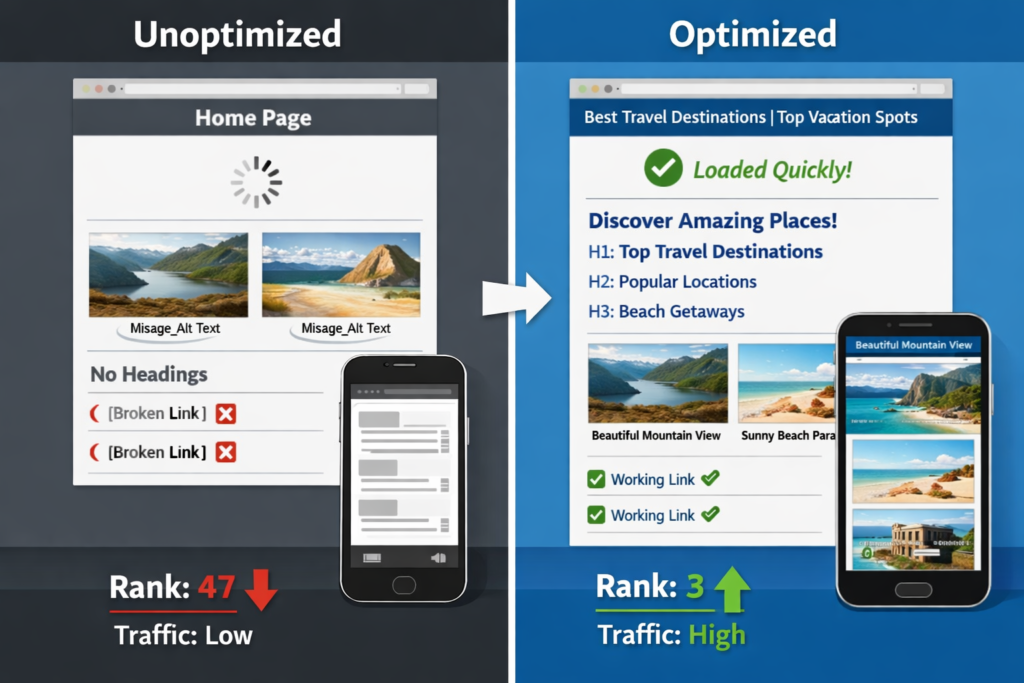
Even experienced marketers make onpage SEO mistakes that limit ranking potential. Understanding common pitfalls helps you avoid them and maintain optimization quality.
Critical mistakes to avoid:
1. Ignoring search intent:
- Creating content that doesn’t match what users actually want
- Targeting informational keywords with product pages
- Providing shallow answers to complex questions
- Fix: Analyze top-ranking pages for your target keyword and match their format and depth
2. Duplicate or thin content:
- Publishing multiple pages targeting the same keyword
- Creating pages with under 300 words on competitive topics
- Copying content from other sources
- Fix: Consolidate duplicate pages, expand thin content, or remove low-value pages
3. Poor mobile experience:
- Small, unreadable text on mobile devices
- Buttons too close together for touch interaction
- Slow mobile page speed
- Fix: Use responsive design, test on actual devices, optimize images for mobile
4. Missing or duplicate title tags and meta descriptions:
- Using the same title across multiple pages
- Leaving meta descriptions blank (Google generates them automatically)
- Exceeding character limits causing truncation
- Fix: Create unique, descriptive titles and meta descriptions for every page
5. Broken internal links:
- Links pointing to deleted or moved pages
- Incorrect URL formatting
- Links to redirected pages
- Fix: Regularly audit internal links and update or remove broken ones
6. Over-optimization:
- Keyword stuffing in content, titles, or alt text
- Unnatural keyword placement that disrupts readability
- Excessive exact-match anchor text in internal links
- Fix: Write naturally for humans, then verify keyword presence—not the reverse
7. Neglecting image optimization:
- Using generic file names like “IMG_1234.jpg”
- Missing alt text on important images
- Uploading massive uncompressed images
- Fix: Rename files descriptively, write contextual alt text, compress before uploading
8. Ignoring heading hierarchy:
- Using multiple H1s per page
- Skipping heading levels (H2 to H4)
- Using headings for styling instead of structure
- Fix: Use one H1, follow sequential hierarchy, ensure headings reflect content structure
9. Slow page speed:
- Large unoptimized images
- Excessive JavaScript and third-party scripts
- Poor hosting performance
- Fix: Compress images, minimize scripts, use caching, upgrade hosting if needed
10. No internal linking strategy:
- Orphan pages with no internal links
- Random, non-strategic link placement
- Generic anchor text
- Fix: Create topic clusters, link related content, use descriptive anchors
Decision rule: If you’re unsure whether a change helps users or just search engines, prioritize user experience. Google’s algorithm increasingly rewards pages that genuinely serve user needs.
How Do You Measure OnPage SEO Success?
Measuring onpage SEO performance requires tracking both ranking improvements and user engagement signals. Combine quantitative metrics with qualitative analysis for complete visibility.
Key metrics to track:
Ranking metrics:
- Keyword rankings: Track position changes for target keywords
- Featured snippet ownership: Monitor Position 0 captures
- Search visibility: Overall visibility across all ranking keywords
- Click-through rate (CTR): Percentage of impressions that result in clicks
Traffic metrics:
- Organic sessions: Total visits from search engines
- Landing page performance: Which pages attract the most organic traffic
- New vs. returning visitors: Growth in new user acquisition
- Traffic by device: Mobile vs. desktop distribution
Engagement metrics:
- Bounce rate: Percentage of single-page sessions
- Time on page: Average duration visitors spend on each page
- Pages per session: How many pages users view per visit
- Scroll depth: How far down the page users scroll
Conversion metrics:
- Goal completions: Newsletter signups, form submissions, downloads
- E-commerce conversions: Sales attributed to organic traffic
- Assisted conversions: Organic touchpoints in conversion paths
Technical metrics:
- Core Web Vitals: LCP, FID, CLS scores
- Page speed: Load time on mobile and desktop
- Mobile usability: Issues detected in Google Search Console
- Indexation status: Pages indexed vs. submitted
Tools for measurement:
Google Search Console:
- Tracks impressions, clicks, CTR, and average position
- Identifies indexation issues and mobile usability problems
- Shows which queries trigger your pages
- Monitors Core Web Vitals performance
Google Analytics:
- Measures traffic, engagement, and conversion metrics
- Shows user behavior flow through your site
- Tracks landing page performance
- Segments organic traffic from other sources
Third-party SEO tools:
- Ahrefs, SEMrush, or Moz for rank tracking
- Screaming Frog for technical audits
- PageSpeed Insights for performance analysis
- Hotjar or Microsoft Clarity for user behavior analysis
Measurement timeline:
- Daily: Monitor critical pages and high-priority keywords
- Weekly: Review traffic trends and engagement metrics
- Monthly: Analyze ranking changes and identify optimization opportunities
- Quarterly: Conduct comprehensive audits and strategy reviews
What success looks like:
- Steady increase in organic traffic over 3-6 months
- Improved rankings for target keywords
- Higher CTR from search results
- Better engagement metrics (lower bounce rate, higher time on page)
- Increased conversions from organic traffic
Edge case: Rankings may fluctuate during Google algorithm updates. Don’t panic over short-term changes—focus on long-term trends and user engagement signals.
FAQ
What is the difference between onpage and offpage SEO?
Onpage SEO includes all optimization elements you control directly on your website, such as content quality, title tags, headings, images, and internal links. Offpage SEO involves external signals like backlinks, brand mentions, and social engagement that you don’t directly control. Learn more about off-page SEO strategies.
How long does it take to see results from onpage SEO?
Most sites see initial ranking improvements within 4-8 weeks after implementing onpage optimizations, with more substantial results appearing in 3-6 months. Timeframe depends on competition level, site authority, content quality, and technical health. New sites or highly competitive keywords may take longer.
What are the most important onpage SEO ranking factors in 2026?
Search intent alignment, content quality and depth, Core Web Vitals performance, mobile optimization, and topical completeness are the top ranking factors. Title tags, heading structure, and internal linking remain foundational elements that support these primary factors.
How many keywords should I target per page?
Focus on one primary keyword per page, plus 2-4 related semantic variations. Trying to target too many unrelated keywords dilutes topical focus and confuses search engines about page purpose. Create separate pages for distinct topics.
Should I use exact-match keywords or variations?
Use both. Include your exact primary keyword in high-priority locations (title, H1, first paragraph), then use natural variations and related terms throughout the content. Modern search algorithms understand semantic relationships and context.
How often should I update existing content for SEO?
Review and update important pages every 6-12 months, or sooner if information becomes outdated. Add new sections covering emerging subtopics, refresh statistics and examples, improve content depth, and update publication dates to signal freshness.
What is the ideal content length for SEO?
Content length should match search intent and topic complexity. Comprehensive guides on competitive topics often need 1,500-3,000 words, while quick-answer queries may rank well with 500-800 words. Analyze top-ranking competitors to gauge appropriate depth.
Do meta descriptions affect rankings?
Meta descriptions don’t directly impact rankings but significantly influence click-through rates from search results. Higher CTR sends positive engagement signals that can indirectly support rankings. Always write compelling, keyword-rich meta descriptions.
How do I optimize images for SEO?
Use descriptive file names before uploading, write contextual alt text that describes image content, compress images to reduce file size, choose appropriate formats (WebP for photos, SVG for graphics), and implement lazy loading for below-fold images.
What is keyword cannibalization and how do I fix it?
Keyword cannibalization occurs when multiple pages on your site target the same keyword, causing them to compete against each other in search results. Fix it by consolidating similar pages, differentiating content focus, or using canonical tags to specify the preferred version.
Should I use H1 tags for styling or structure?
Always use H1 tags for structural hierarchy, not visual styling. Use one H1 per page containing your primary keyword, then use CSS to control appearance. Search engines rely on heading tags to understand content structure and importance.
How do I optimize for voice search?
Target long-tail conversational keywords, answer questions directly in the first paragraph, use natural language that matches how people speak, optimize for featured snippets, and ensure fast mobile page speed. Voice search results often come from Position 0.
Conclusion
Onpage SEO remains the foundation of search visibility in 2026, giving you direct control over the factors that determine how search engines evaluate and rank your content. Success requires balancing traditional optimization elements—title tags, headings, keyword placement—with modern priorities like search intent alignment, topical completeness, and Core Web Vitals performance.
The most significant shift in recent years is the primacy of user experience and intent satisfaction over keyword density. Pages that comprehensively answer user questions, load quickly on mobile devices, and provide clear navigation consistently outperform those optimized solely for search engine algorithms.
Actionable next steps:
- Audit your current onpage optimization: Use Google Search Console to identify pages with high impressions but low CTR—these are prime candidates for title and meta description improvements
- Prioritize mobile experience: Test your most important pages on actual mobile devices and address any usability issues
- Improve Core Web Vitals: Run PageSpeed Insights on key landing pages and implement recommended performance fixes
- Align content with search intent: Analyze top-ranking competitors for your target keywords and ensure your content matches the format and depth users expect
- Build topic clusters: Create comprehensive pillar content on your main topics and link related subtopic pages bidirectionally
- Implement structured data: Add schema markup to help search engines understand your content and increase featured snippet eligibility
- Monitor and iterate: Track rankings, traffic, and engagement metrics monthly, then refine your approach based on performance data
Remember that onpage SEO is not a one-time task but an ongoing process. Search algorithms evolve, user expectations change, and competitors improve their content. Regular audits and updates keep your pages competitive and ensure you maintain the rankings you’ve earned.
Start with your highest-traffic pages and most important conversion paths. Optimize these first for maximum impact, then systematically work through the rest of your site. Small improvements across multiple onpage elements compound into significant ranking and traffic gains over time.
For additional resources on optimizing your website, explore our guides on on-page SEO and discover the best on-page SEO tools to streamline your optimization workflow.